
diados
Extension of the Day

diados

5.0 FREE
  • Screenshot 1

Description

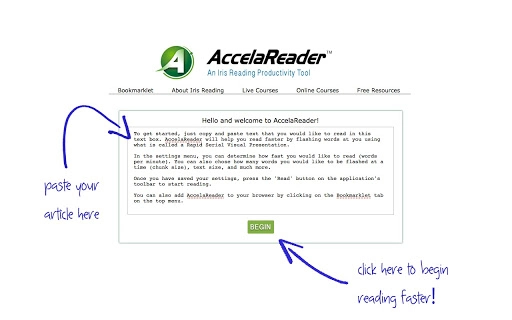
How would you like to increase your reading speed by without any formal speed-reading training? Well, now you can do just that with AccelaReader! This free, highly customizable online tool, can help you by flashing words on the screen at a speed that you set using what is called a Rapid Serial Visual Presentation (RSVP).Just copy and paste text that you would like to read in the textbox, or use the bookmarklet to add Accelareader to your browser. Adjust settings like words per minute, chunk size, text size, and much more!UPDATED:- Improved interface.Thanks for all the great feedback and suggestions! XD

Guides & Tutorials for AccelaReader App for Chrome

How to install AccelaReader App for Chrome
  1. Click the Preview / Download button above.
  2. Once redirected, accept the terms and click Install.
  3. Wait for the AccelaReader App for Chrome download to finish on your device.
How to use AccelaReader App for Chrome

This software is primarily used for its core features described above. Open the app after installation to explore its capabilities.

User Reviews for AccelaReader App for Chrome 0

    No reviews found

Similar Apps


